
Workspace OS
The simplest way to organize your digital work.
A single environment where projects, to‑dos, notes, resources and tools live together.
No scattered windows, no fragmentation — just a seamless workflow.
AITA stands for Advanced Interactive Transformation Architecture — the concept behind our unified workspace.


Core Features: Projects, To-Dos, Agenda, Reminder, and Browser
All your main apps are interconnected for a seamless workflow.
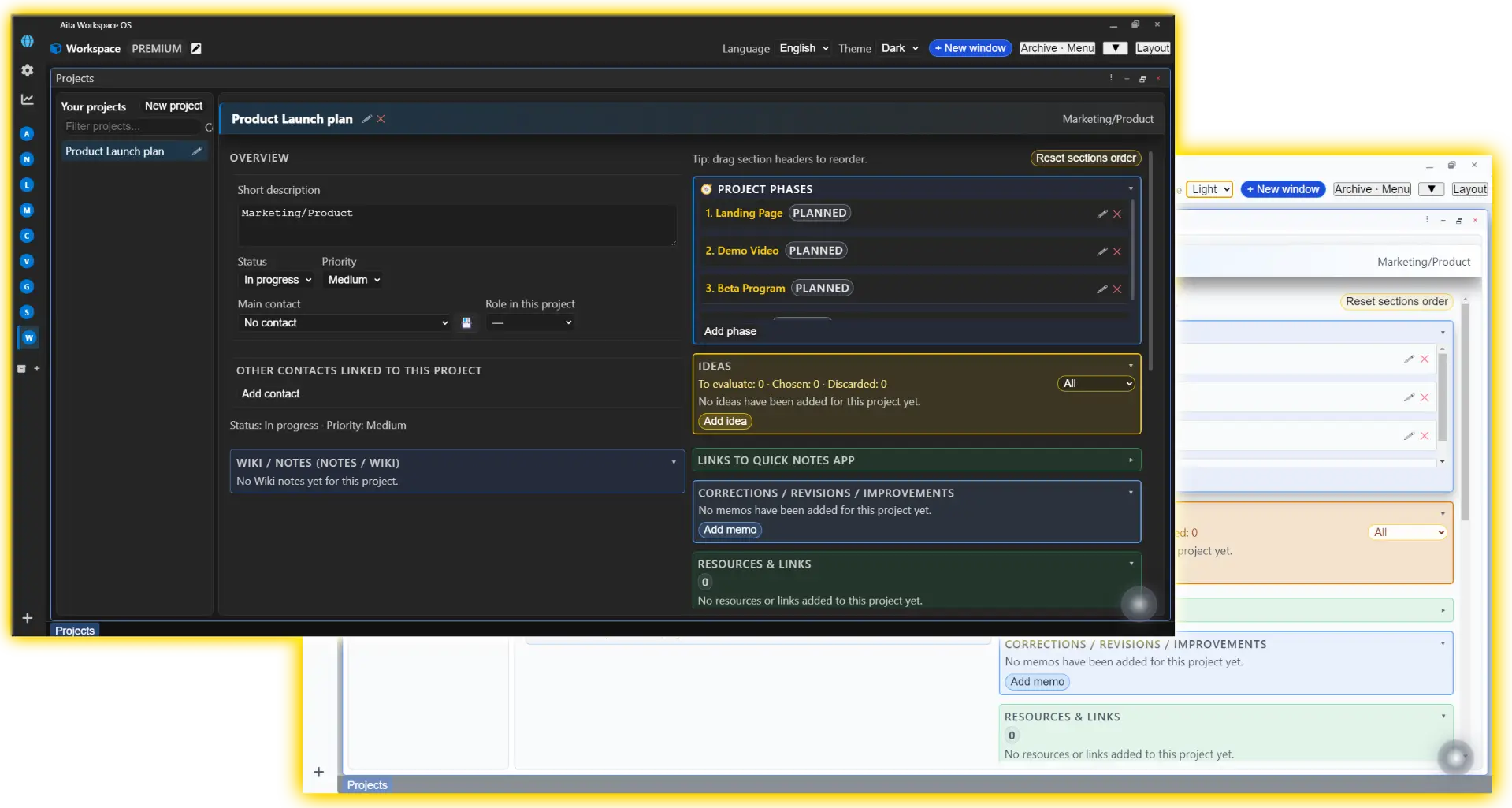
Projects — Your work, organized visually
Keep every project organized in one place: status, priorities, notes and resources grouped visually, no switching between apps.
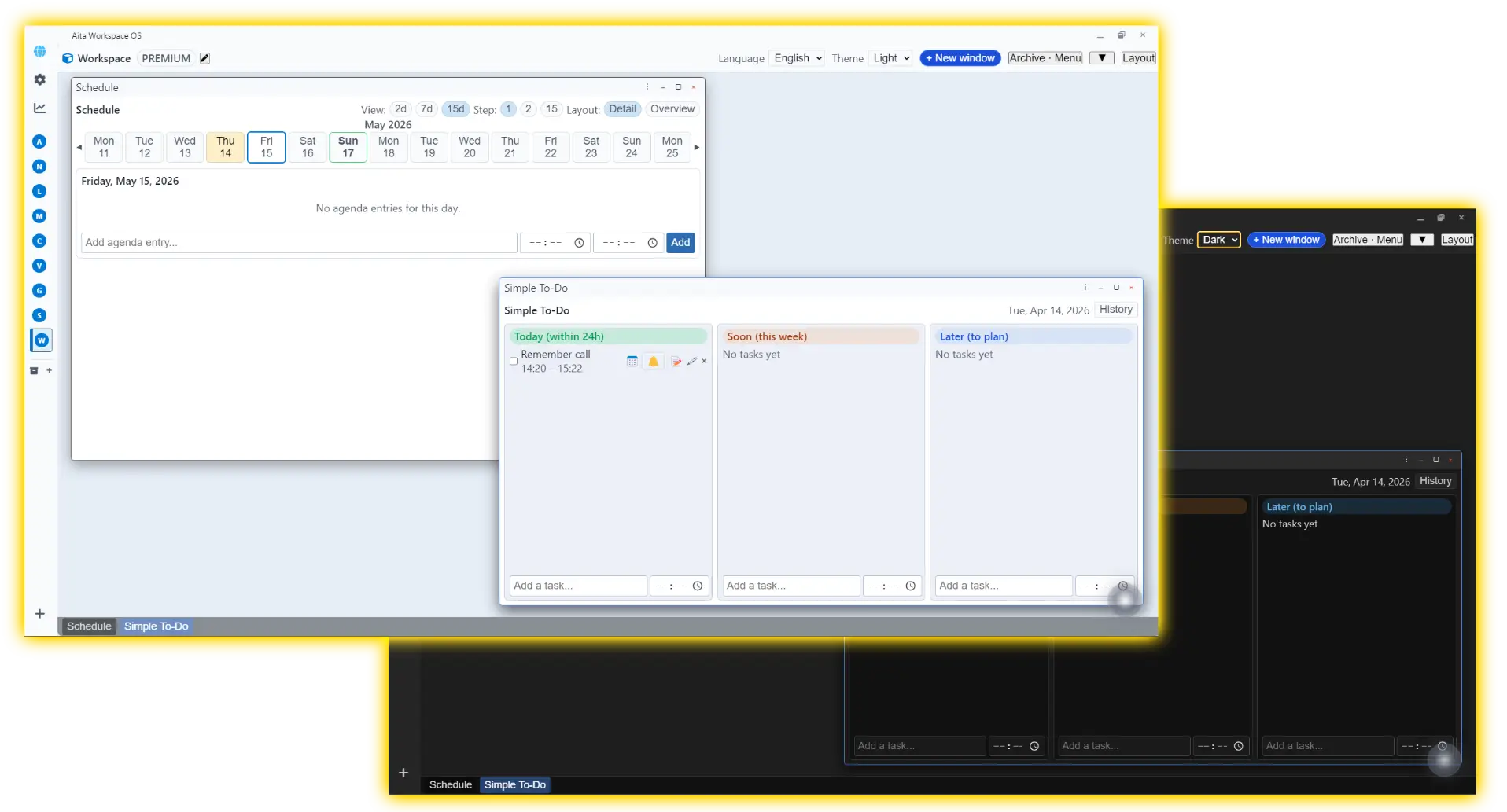
Agenda & To‑Dos — Your day, unified
Plan your day with To-Dos, calendar events and reminders auto-synced to your projects—no manual updates needed
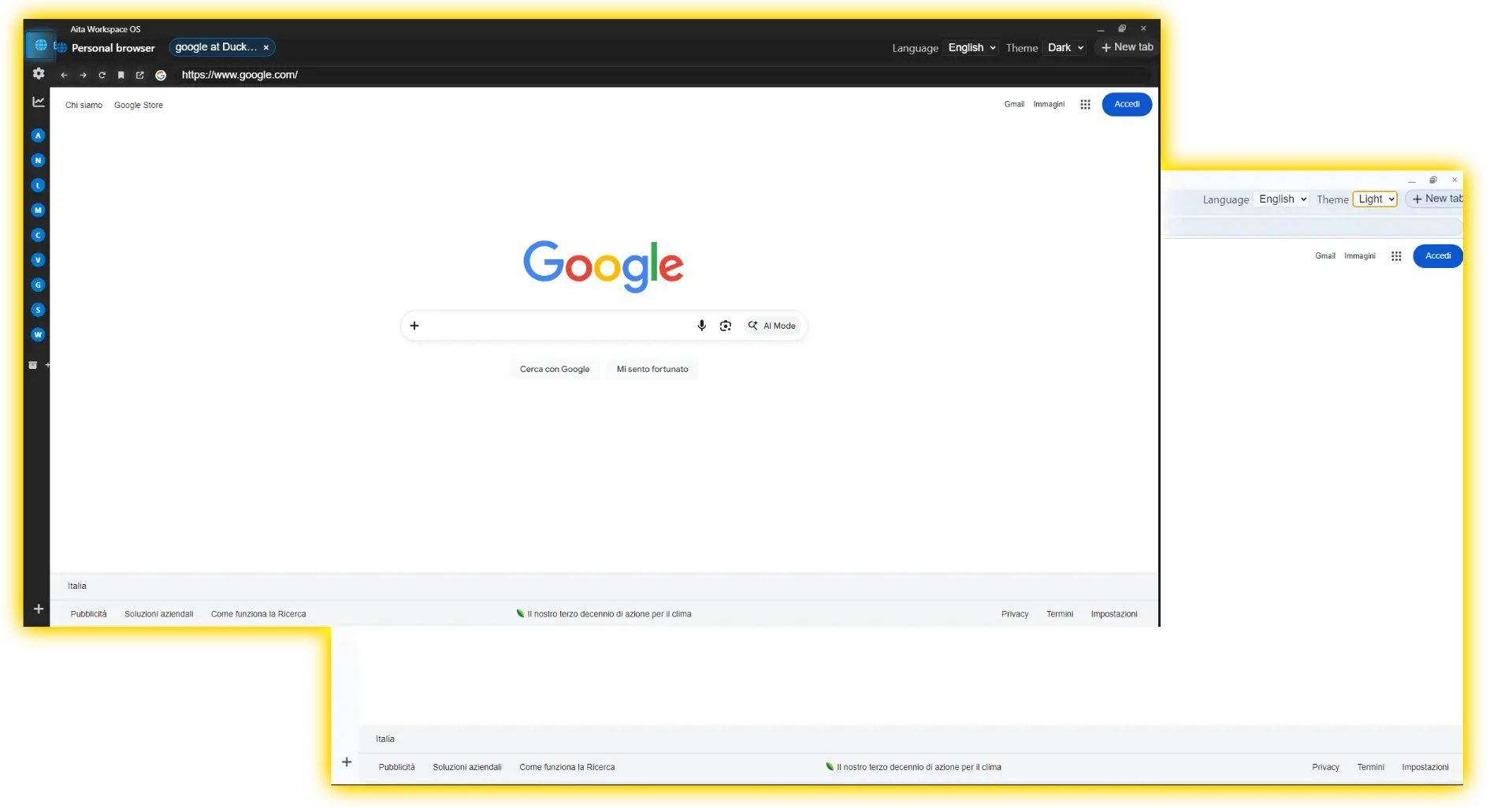
The Growing Ecosystem: Toolbox and Mini-Apps
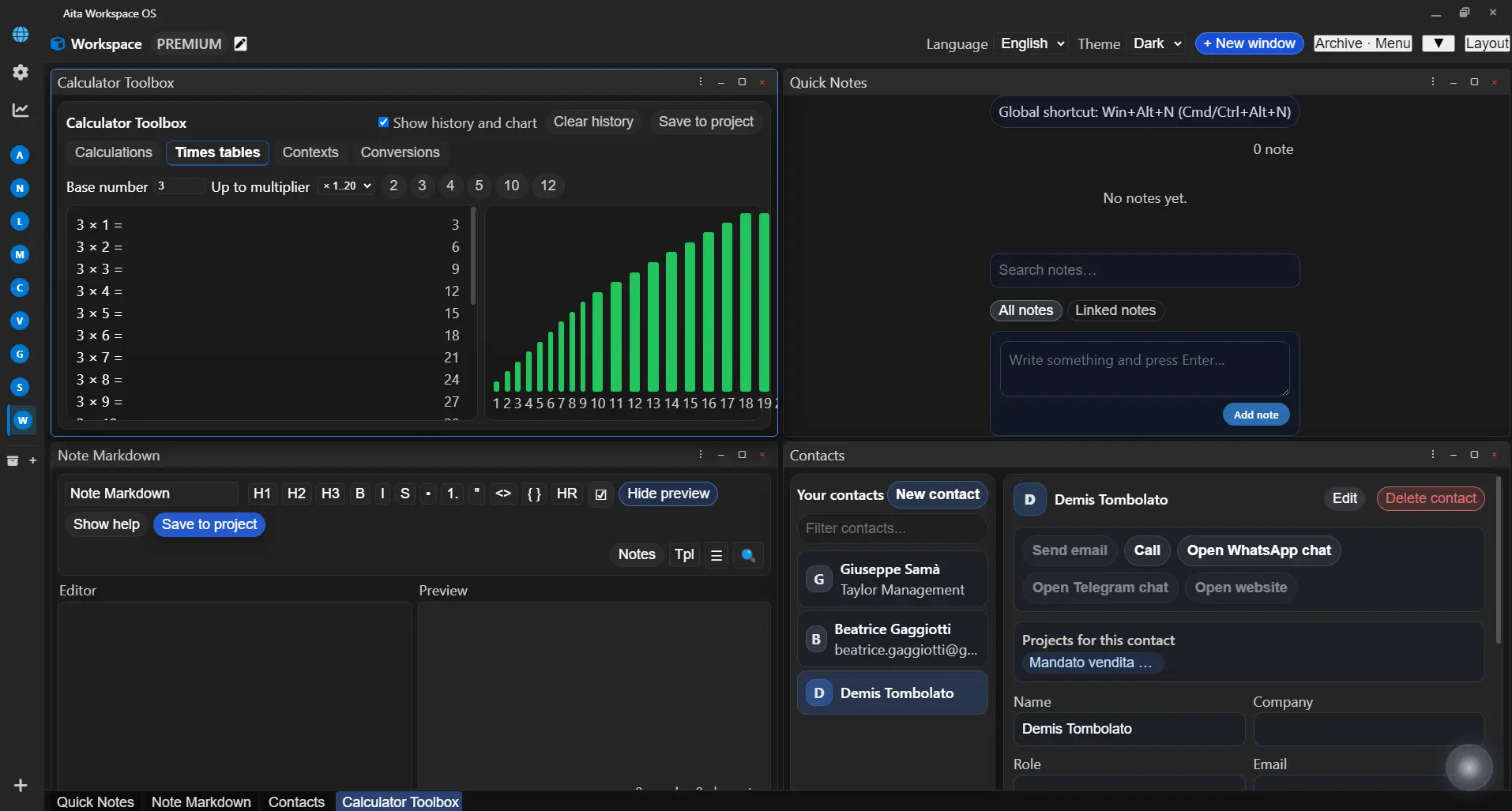
Your workspace grows with you: essential tools built-in, with new mini-apps added regularly.
Contacts
Keep all your contacts organized without switching to external apps
Markdown Editor
Write long-form notes with full Markdown support, inside your workspace
Multi-Clipboard
Never lose what you copied—see history and pin important clips
Timer/Tracking
Track time with Pomodoro sessions and automatic logging
Numeric Toolbox
Quick calculations and number comparisons, always at hand
Multiple mini‑apps, one unified workspace
Future Roadmap: Bookmark, Text Diff, Simple Tables, Outline, Whiteboard and more !
How people can use Aita every day

Freelance / consultant
Manage all your client projects in one focused workspace, with tasks, notes, links, and deadlines connected instead of scattered across tools

Creative / maker
Keep your creative projects coherent with project boards, daily to‑dos, and all your web references saved directly inside Aita.

Small team / studio
Coordinate a 2–5 people team without adding yet another cloud SaaS, with shared projects today and P2P sync coming in the future.

Local-First Philosophy
Total privacy without compromise
The Local-First Philosophy
Your data, your device, your rules – complete privacy and control without compromise
Your data is not hosted on third-party servers. With Aita, you own your workspace—no subscriptions, no lock-in, no telemetry, no profiling.
Data Control
100% Local
Data Control
- 100% Local
- No vendor lock-in
- Encrypted at rest
Privacy by Architecture
- No tracking
- No profiling
- No forced cloud sync
Full Autonomy
- Work offline
- No external deps
- You control updates
Features in future development
P2P Synchronization for Teams.
Collaborate without cloud: sync directly with your team, encrypted end-to-end
**↳ Your team data stays between your devices—never touches our servers.
- No External Database
Connect colleagues directly. Data exchanged passes between your computers, not through our cloud.
- End-to-End Encryption
Communication is encrypted (WebRTC/CRDTs). Not even our signaling server can read the information exchanged.
- Work Offline
Complete autonomy: you can work even without a connection. Synchronization resumes when you are back online.
Aita Nucleus: Artificial Intelligence that Organizes and Orchestrates.
The AITA Nucleus agent is designed to work with your local data, without uploading it to the cloud. Our agent is completely offline, ensuring maximum privacy for your data. Please note that in order to use Aita Nucleus after installation, you will also need to download the artificial intelligence engine that will allow you to activate our Agent.
Your Key, Your Control
The AI is activated only with your personal API Key (e.g., OpenAI). The key remains encrypted on your device. IMPORTANT: You pay directly for API usage—Aita takes zero of your data.
AI with Aita Tools
The AI agent will have access to internal tools — list projects, create tasks, check calendar events — to act directly on your workspace, not just reply
Summaries and Guided Actions
Summarize projects at a glance, get suggested action plans, and create tasks or events with a single click—all with your confirmation. Automate the busy work, keep the control.
Why Aita instead of mixing 3–4 tools
Most people juggle a wiki, a project manager and a time tracker. Aita gives you one operating environment instead of three different cloud apps.
| Feature / Need | Aita Workspace OS | Typical wiki app (Notion‑style) |
Typical project manager (Asana‑style) |
Time tracker (Toggl‑style) |
All‑in‑one cloud app (ClickUp‑style) |
|---|---|---|---|---|---|
| Projects, tasks and agenda in one view | ✅ Native workspace with Projects + To‑Do + Agenda in one window. | ⚠️ Task lists but no real agenda view. | ✅ Strong tasks, basic calendar. | ❌ No real project structure. | ✅ Full project management suite. |
| Integrated browser for project resources | ✅ Built‑in browser linked to projects, no app‑switching. | ❌ Needs external browser. | ❌ Needs external browser. | ❌ Needs external browser. | ❌ Usually no embedded browser. |
| Wiki / notes connected to projects | ✅ Markdown notes and project notes directly linked. | ✅ Strong wiki/DB but weaker PM. | ⚠️ Descriptions, not a real wiki. | ❌ No wiki. | ⚠️ Docs module, less “second brain”. |
| Time tracking and billing mindset | ✅ Timer / Pomodoro and logged time per work session. | ❌ No integrated timer (needs add‑on). | ⚠️ Sometimes added as extra module. | ✅ Strong time tracking. | ⚠️ Time tracking only in higher tiers. |
| Local‑first, 100% data on your device | ✅ Data stays on your machine, no forced cloud or telemetry. | ❌ Cloud‑centric, hosted data. | ❌ Cloud‑centric, hosted data. | ❌ Cloud service, hosted data. | ❌ Full SaaS, hosted data. |
| No per‑user pricing, flat license | ✅ Flat pricing planned, no per‑user seats. | ❌ Per‑user or per‑workspace plans. | ❌ Per‑user / per‑seat. | ❌ Subscription per user or team. | ❌ Per‑user, per‑month billing. |
| Works fully offline | ✅ Designed to work offline, sync only when needed. | ❌ Web‑first, offline limited. | ❌ Cloud‑dependent. | ❌ Cloud‑dependent. | ❌ Cloud‑dependent. |
| Future P2P sync without central server | ✅ Planned P2P team sync with no central database. | ❌ Multi‑user via vendor cloud. | ❌ Multi‑user via vendor cloud. | ❌ Not designed for shared workspaces. | ❌ Multi‑user via vendor cloud. |
Aita is built for freelancers, studios and small teams that want one control center instead of a patchwork of cloud apps.
Start working more efficiently today
See upcoming Premium and Team plans (coming soon)
Aita is in active development: the Free version is already ready for everyday use and will receive continuous updates, including future Mini-Apps and (internal local AI only for Premium and Team)